> ## Documentation Index
> Fetch the complete documentation index at: https://aibco.mintlify.site/llms.txt
> Use this file to discover all available pages before exploring further.
# Add Knowledge to Your AI Chat
> Teach your AI about your business with three sources: manual text, website page scans (up to 10 URLs, 10 credits flat), and document uploads (PDFs, txt, md).
Your AI chat can only answer questions about what it has been taught. The Chat page gives you three ways to add that information: write text directly, scan public web pages, or upload documents.
Text is the most reliable knowledge source and the best starting point. Build your text base first, then supplement with website scans and documents.
## Text: write your knowledge manually
Write out the facts you want the AI to know: services, pricing, coverage area, process, FAQs.
Go to **Dashboard → Chat** and click the **Text** tab.
Type or paste your business knowledge into the text area.
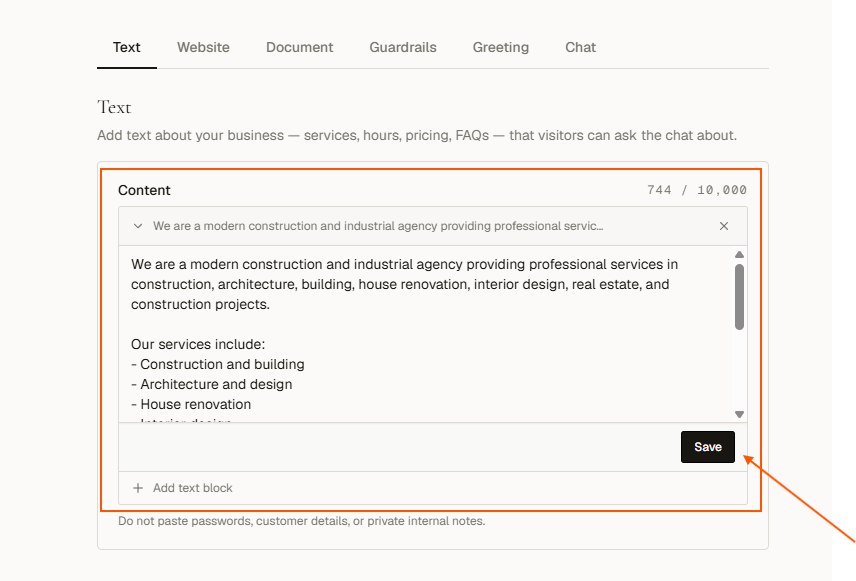 Click **Save knowledge**.
Use plain language. Cover your most common visitor questions. Do not include passwords, customer data, or private notes.
An empty Text box does not mean an empty assistant. If setup read your pages, that content lives on the **Website** tab. Keep this box for what only you know: prices you do not publish, how you actually work, the answers you give on the phone. A re-scan refreshes the website content without touching a word of it.
## Website: scan your existing pages
Pull content in from pages that are already published. Costs **10 credits per scan**, however many pages you give it.
Click the **Website** tab on the Chat page.
Paste up to **10 public page URLs, one per line**: your About page, services, FAQ, a project page. They do not have to be your own site. A Houzz, Behance, LinkedIn, or marketplace profile works just as well.
Click **Save knowledge**.
Use plain language. Cover your most common visitor questions. Do not include passwords, customer data, or private notes.
An empty Text box does not mean an empty assistant. If setup read your pages, that content lives on the **Website** tab. Keep this box for what only you know: prices you do not publish, how you actually work, the answers you give on the phone. A re-scan refreshes the website content without touching a word of it.
## Website: scan your existing pages
Pull content in from pages that are already published. Costs **10 credits per scan**, however many pages you give it.
Click the **Website** tab on the Chat page.
Paste up to **10 public page URLs, one per line**: your About page, services, FAQ, a project page. They do not have to be your own site. A Houzz, Behance, LinkedIn, or marketplace profile works just as well.
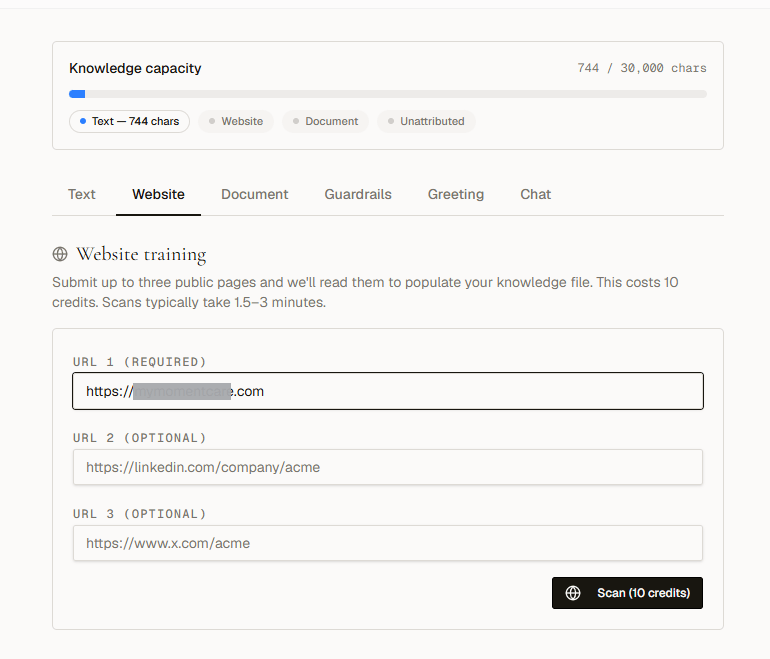 Click **Scan (10 credits)**. Scans usually take **1.5 to 3 minutes**. The tab shows the stage and elapsed time, and you can leave the page: the scan keeps running.
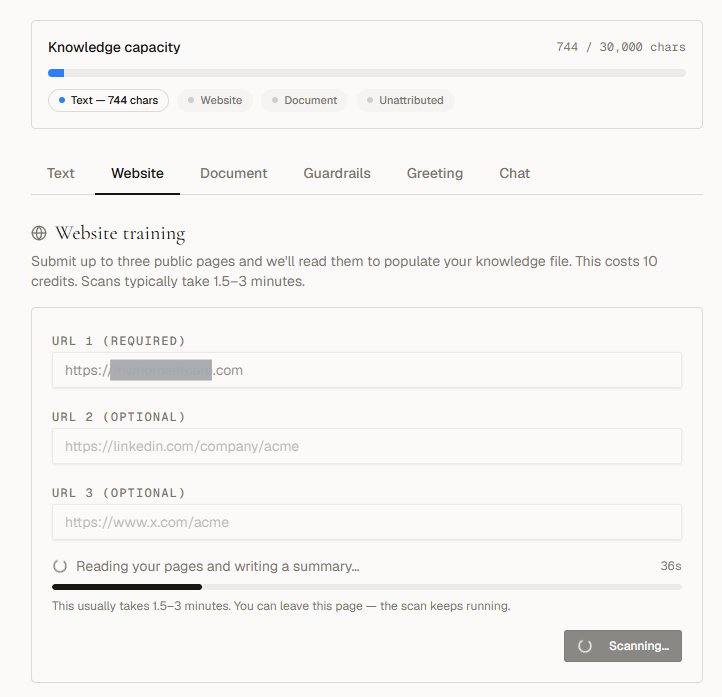
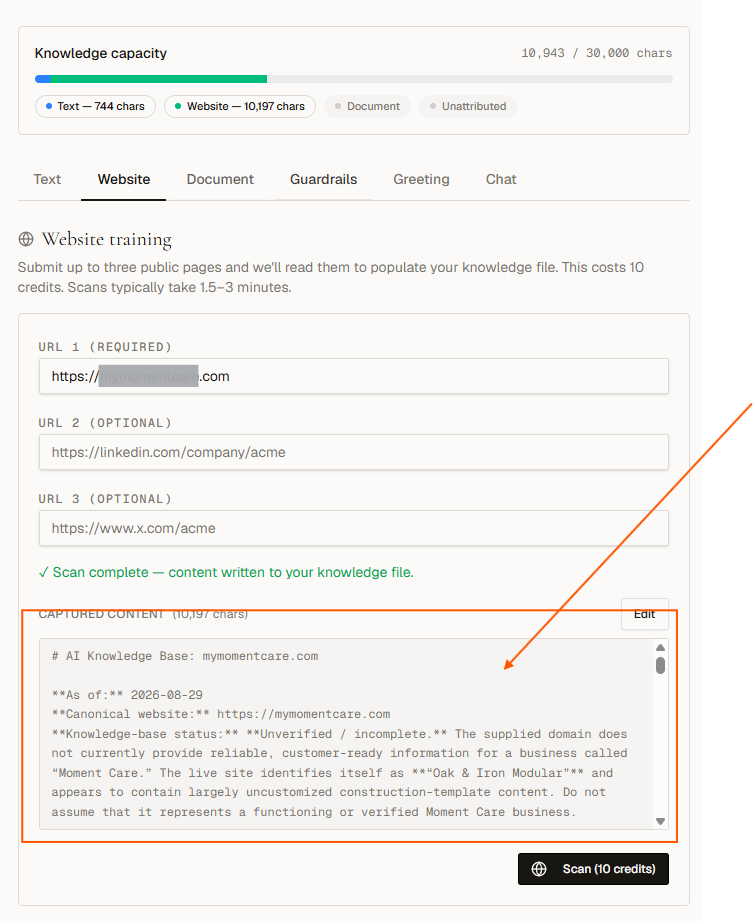 A bad or excess line is caught before you are charged. The offending line is named and the Scan button stays disabled until you fix it.
Only public pages work. Pages behind a login, CAPTCHA, or paywall will fail or return empty content. The Scan button is disabled when knowledge capacity is at 90% or above.
Re-scanning replaces the website content you already have. You are asked to confirm. Your Text tab and uploaded documents are untouched.
## Document: upload files
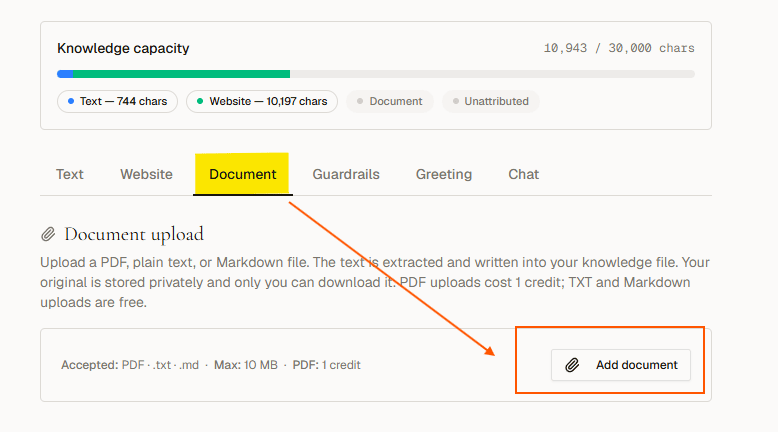
Upload PDF, plain text (.txt), or Markdown (.md) files, up to **10 MB each** and **5 documents total**. PDFs cost **1 credit** (charged the moment the file converts); text and markdown files are free.
Click the **Document** tab on the Chat page.
Click **Add document** and select your file. The text is extracted and added to your knowledge automatically.
A bad or excess line is caught before you are charged. The offending line is named and the Scan button stays disabled until you fix it.
Only public pages work. Pages behind a login, CAPTCHA, or paywall will fail or return empty content. The Scan button is disabled when knowledge capacity is at 90% or above.
Re-scanning replaces the website content you already have. You are asked to confirm. Your Text tab and uploaded documents are untouched.
## Document: upload files
Upload PDF, plain text (.txt), or Markdown (.md) files, up to **10 MB each** and **5 documents total**. PDFs cost **1 credit** (charged the moment the file converts); text and markdown files are free.
Click the **Document** tab on the Chat page.
Click **Add document** and select your file. The text is extracted and added to your knowledge automatically.
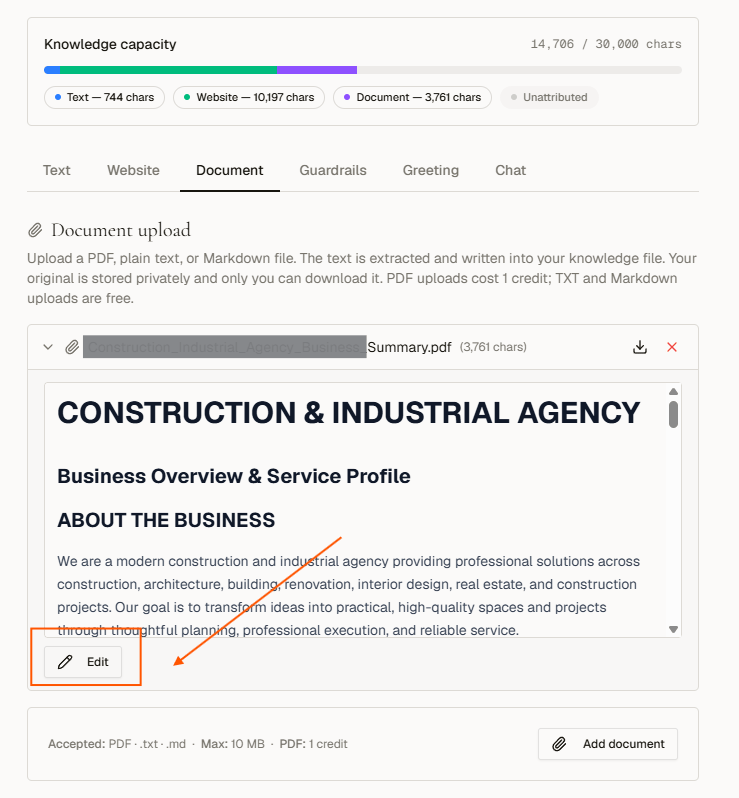
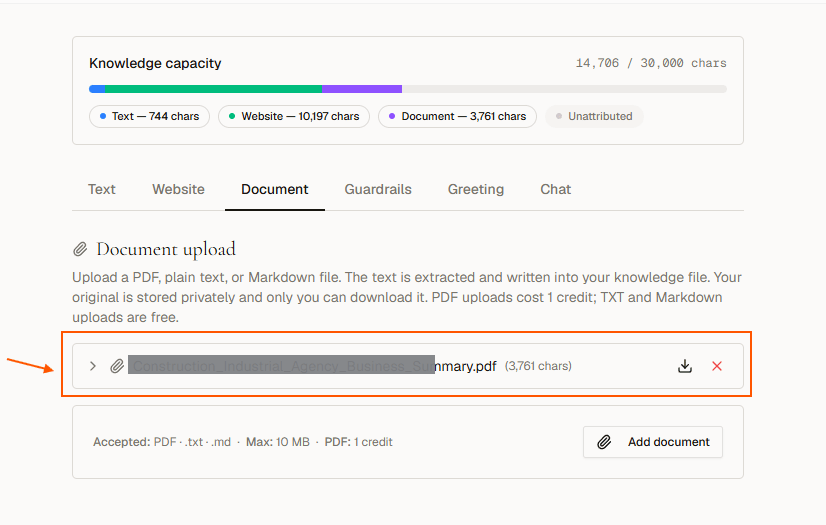 Each uploaded file appears as an expandable row. Click a row to read or inline-edit the extracted content. Changes save immediately.
 **What is worth uploading:** a capability statement, brochure, or line card; price lists, spec sheets, or materials guides; service areas, lead times, warranty terms, your process. **What is not:** scanned images of pages and photography-only portfolios. The AI reads text, so a PDF with no text layer adds nothing.
An empty Text box does not mean an empty assistant. If setup read your pages, that content lives on the **Website** tab. Keep this box for what only you know: prices you don't publish, how you actually work, the answers you give on the phone. A re-scan refreshes the website content without touching a word of it.
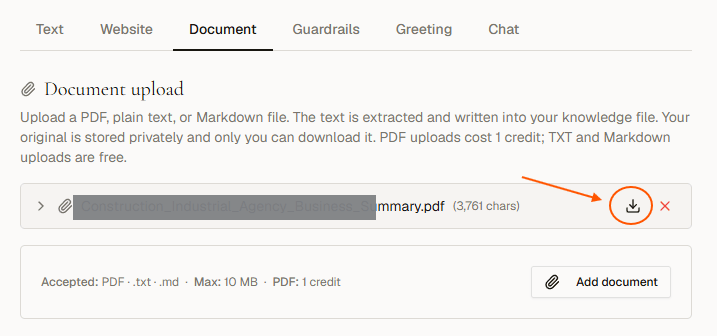
You can download or delete any file at any time without losing the extracted content of others.
**What is worth uploading:** a capability statement, brochure, or line card; price lists, spec sheets, or materials guides; service areas, lead times, warranty terms, your process. **What is not:** scanned images of pages and photography-only portfolios. The AI reads text, so a PDF with no text layer adds nothing.
An empty Text box does not mean an empty assistant. If setup read your pages, that content lives on the **Website** tab. Keep this box for what only you know: prices you don't publish, how you actually work, the answers you give on the phone. A re-scan refreshes the website content without touching a word of it.
You can download or delete any file at any time without losing the extracted content of others.
 Editing the extracted text updates what the AI knows. It does not modify the original PDF file. The **Add document** button is disabled when knowledge capacity is at 90% or above, or once you have 5 documents.
## Next steps
* [Set guardrails for AI responses](/chat/guardrails)
* [Configure the greeting message](/chat/greeting)
Editing the extracted text updates what the AI knows. It does not modify the original PDF file. The **Add document** button is disabled when knowledge capacity is at 90% or above, or once you have 5 documents.
## Next steps
* [Set guardrails for AI responses](/chat/guardrails)
* [Configure the greeting message](/chat/greeting)