> ## Documentation Index
> Fetch the complete documentation index at: https://aibco.mintlify.site/llms.txt
> Use this file to discover all available pages before exploring further.
# Manage and Organize Your Product Catalog
> Control which products appear in the widget using the Visible toggle. Edit product details, add or swap images, or remove products you no longer need.
Your product catalog is the foundation of the AIBCO widget. This page shows you how to edit product details, control visibility, and keep your catalog organized so visitors always see the right designs.
## Edit a Product
 To update a product, open it from the Products list in your dashboard. You can change any of the following fields at any time:
* **Name** — Update the display name shown to visitors.
* **Type** — Adjust the internal category for organization.
* **Visitor description** — Revise the description visitors read in the widget.
* **Internal notes** — Edit private notes only visible to your team.
## Show or Hide Products
Each product has a **Visible** toggle. Use this to control whether a product appears in the widget without deleting it.
* **Visible on** — The product appears in the widget if it is also Live.
To update a product, open it from the Products list in your dashboard. You can change any of the following fields at any time:
* **Name** — Update the display name shown to visitors.
* **Type** — Adjust the internal category for organization.
* **Visitor description** — Revise the description visitors read in the widget.
* **Internal notes** — Edit private notes only visible to your team.
## Show or Hide Products
Each product has a **Visible** toggle. Use this to control whether a product appears in the widget without deleting it.
* **Visible on** — The product appears in the widget if it is also Live.

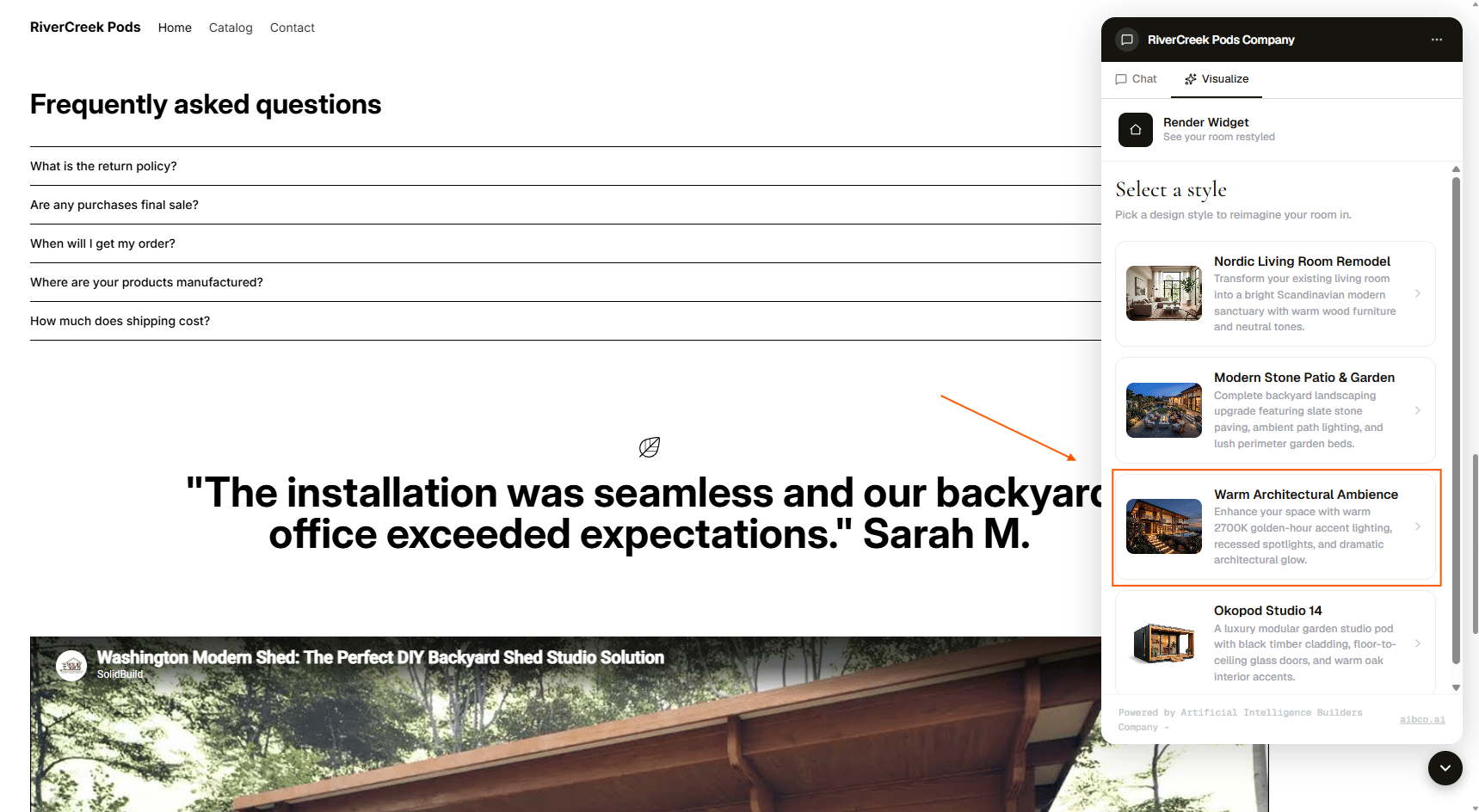 * **Visible off** — The product stays in your catalog but is hidden from visitors.
 This is useful when you want to temporarily remove a product from view, or when you are still finalizing details.
## Draft vs Live
A product can be either Draft or Live. Here is how the two statuses interact with visibility:
This is useful when you want to temporarily remove a product from view, or when you are still finalizing details.
## Draft vs Live
A product can be either Draft or Live. Here is how the two statuses interact with visibility:
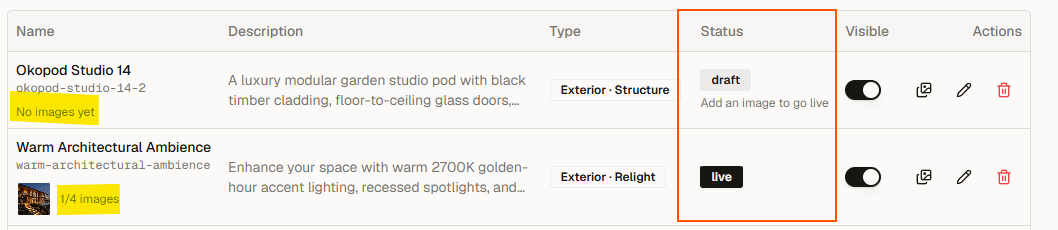 | Status | Visible toggle on | Visible toggle off |
| ------------------------ | ------------------------- | ------------------------- |
| **1. Draft** (no images) | Does not appear in widget | Does not appear in widget |
| **2. Live** (has images) | Appears in widget | Does not appear in widget |
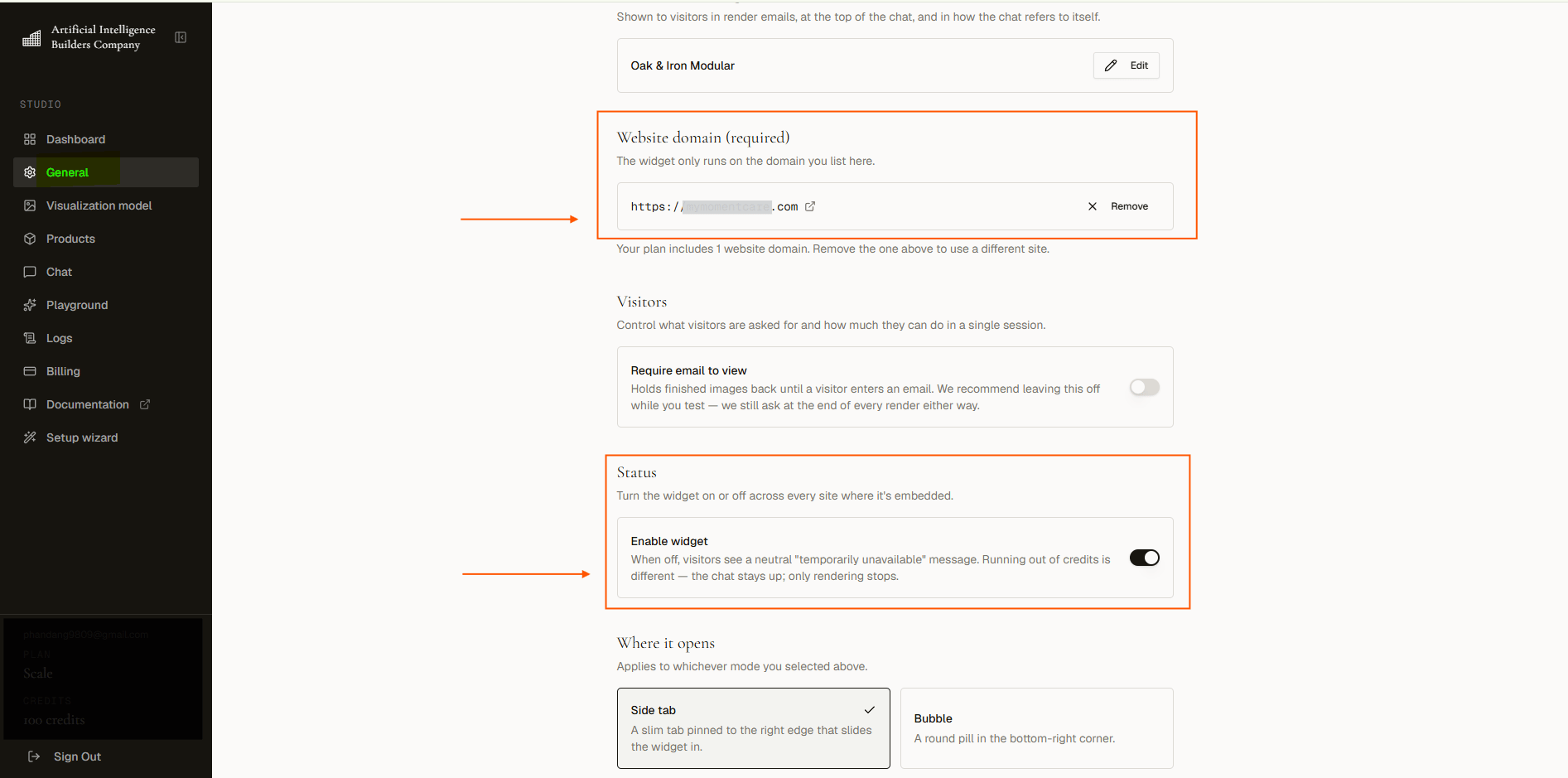
Even if a Live product is set to Visible, **it will not show if the widget itself is disabled or the authorized domain is misconfigured**. See [Troubleshooting](troubleshooting) if you run into issues.
| Status | Visible toggle on | Visible toggle off |
| ------------------------ | ------------------------- | ------------------------- |
| **1. Draft** (no images) | Does not appear in widget | Does not appear in widget |
| **2. Live** (has images) | Appears in widget | Does not appear in widget |
Even if a Live product is set to Visible, **it will not show if the widget itself is disabled or the authorized domain is misconfigured**. See [Troubleshooting](troubleshooting) if you run into issues.
 Use the Visible toggle to hide seasonal products you plan to bring back later, or to stage a new product while you finalize its description. There is no need to delete and rebuild the product later.
## Remove a Product
If you no longer need a product, you can remove it from your catalog entirely. This is permanent, so consider hiding it first if you might want it again.
Use the Visible toggle to hide seasonal products you plan to bring back later, or to stage a new product while you finalize its description. There is no need to delete and rebuild the product later.
## Remove a Product
If you no longer need a product, you can remove it from your catalog entirely. This is permanent, so consider hiding it first if you might want it again.
 ## Next Steps
* [Add images to a product](products/add-images)
* [Troubleshoot widget issues](troubleshooting)
## Next Steps
* [Add images to a product](products/add-images)
* [Troubleshoot widget issues](troubleshooting)