

How guardrails work
Guardrails layer on top of your knowledge base. When a visitor asks a question, the AI considers the knowledge you have added, then applies your guardrails to shape the final response. For example, a guardrail can instruct the AI to always recommend a consultation before quoting a price.Add a guardrail
1
Open the Guardrails tab
In your dashboard, go to Chat → Guardrails.
2
Write your instruction
Type any extra instructions (e.g. Always recommend scheduling a consultation before quoting a price).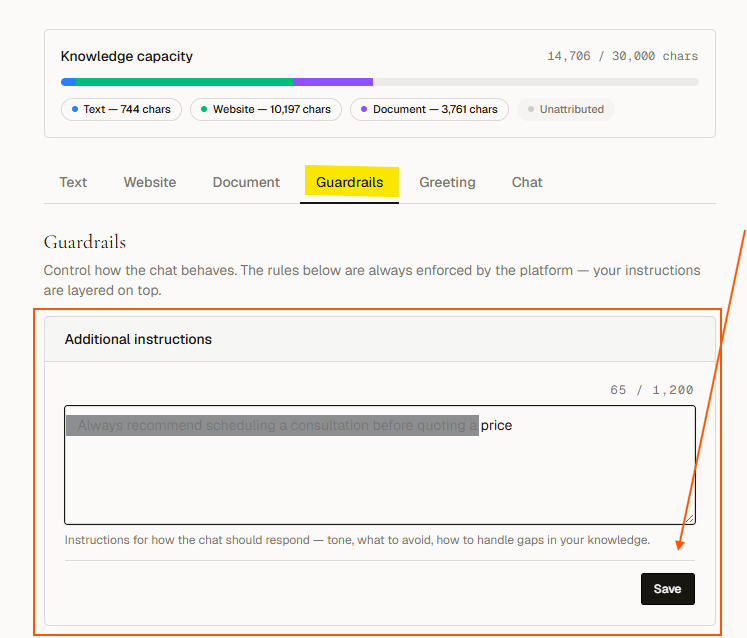
3
Save
Click Save behavior. Changes take effect immediately for the next visitor chat session.
Example guardrail
Always recommend scheduling a consultation before quoting a price.With this guardrail in place, if a visitor asks “How much does this cost?”, the AI will explain that pricing depends on the specific project and suggest booking a consultation rather than giving a fixed number.
Guardrails work alongside the platform’s core safety rules, not instead of them. You cannot remove built-in safety behaviors here.