

aibco.ai/company/your-name, running the same widget experience as the embed. No snippet, no website, nothing to install: just a link you can share anywhere, from a social bio to an email signature to a QR code on a job sign.
It is the answer if you do not have a website, cannot edit the one you have, or your business lives on Instagram, Houzz, or a marketplace listing. It is also useful when you do have a website (see Run both surfaces below).
Publish it
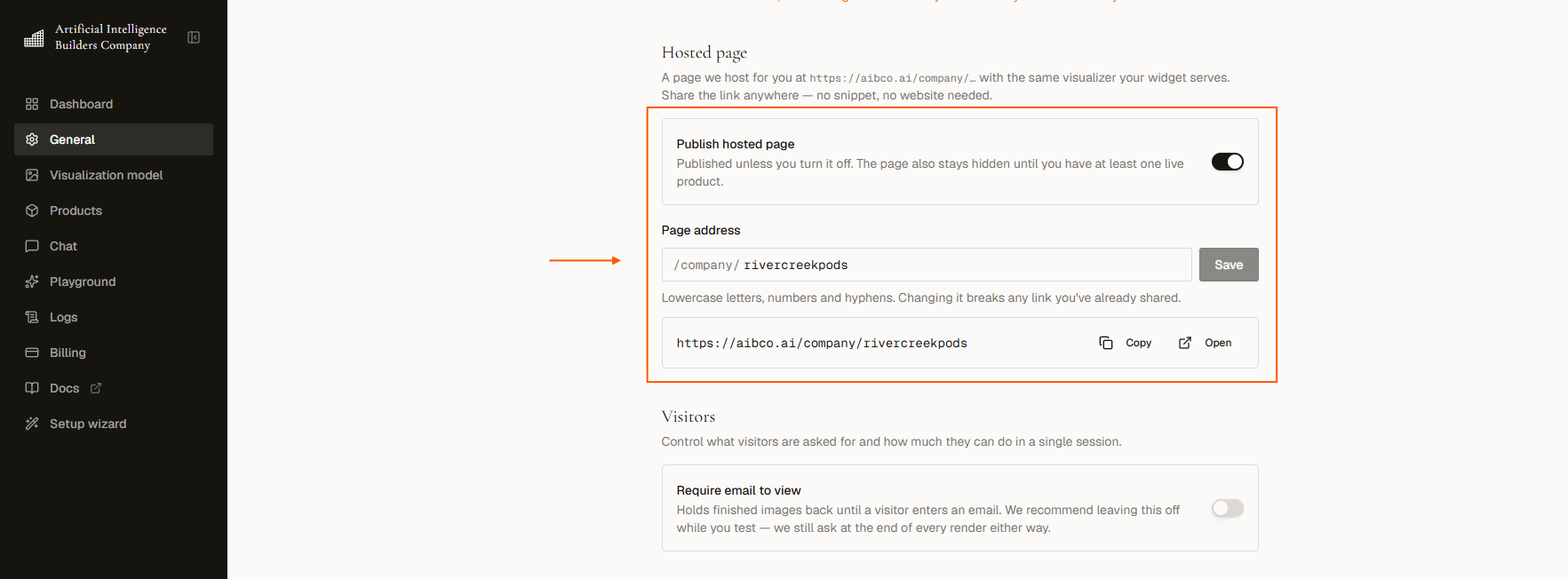
Go to Dashboard → General and find the Hosted page section.1
Set your page address
Enter the part that comes after 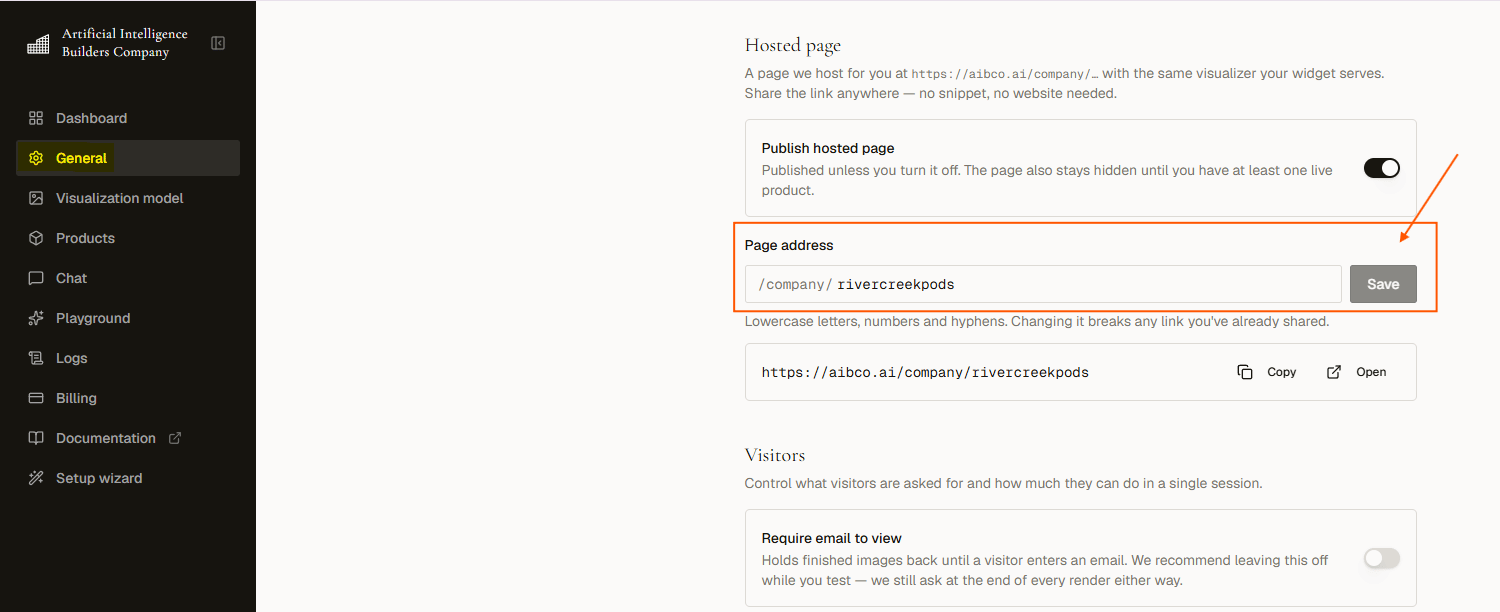
/company/ (e.g. acme-kitchens) and click Save.2
Turn on Publish hosted page
The switch is off by default. Publishing a public page in your name is your decision, never automatic. 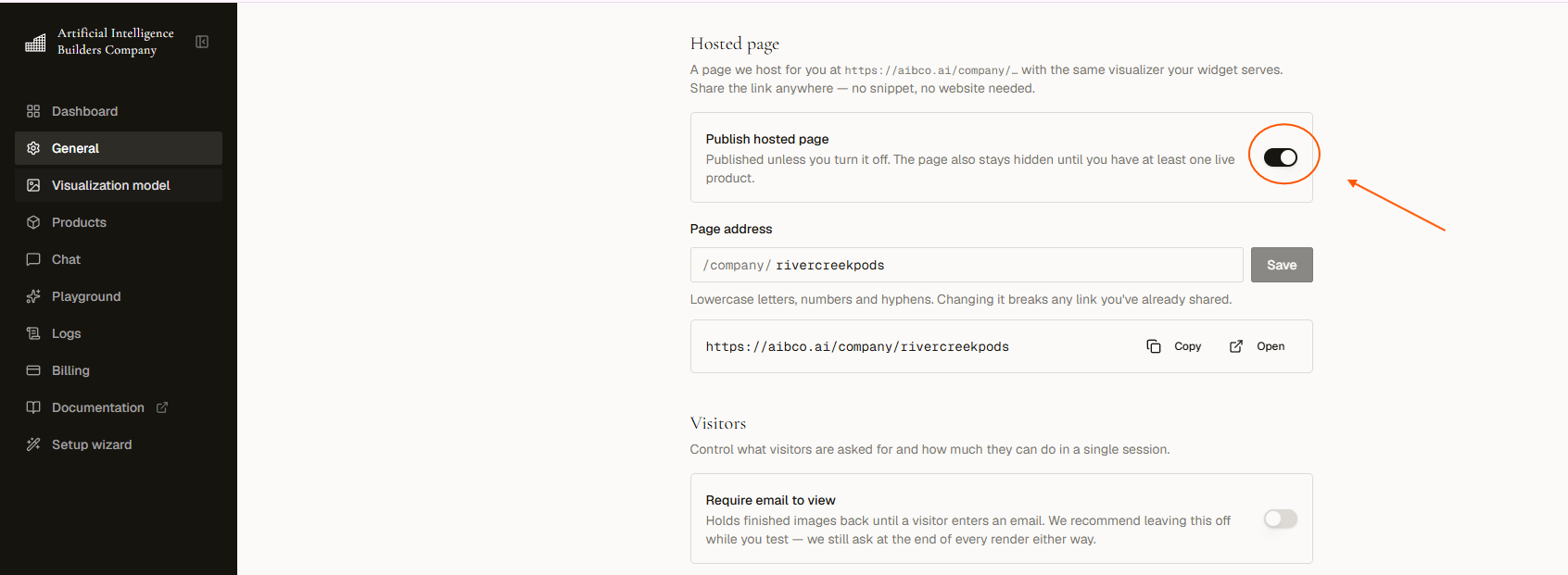
3
Copy or open the link
Click Copy to grab the full URL, or Open to view the live page in a new tab.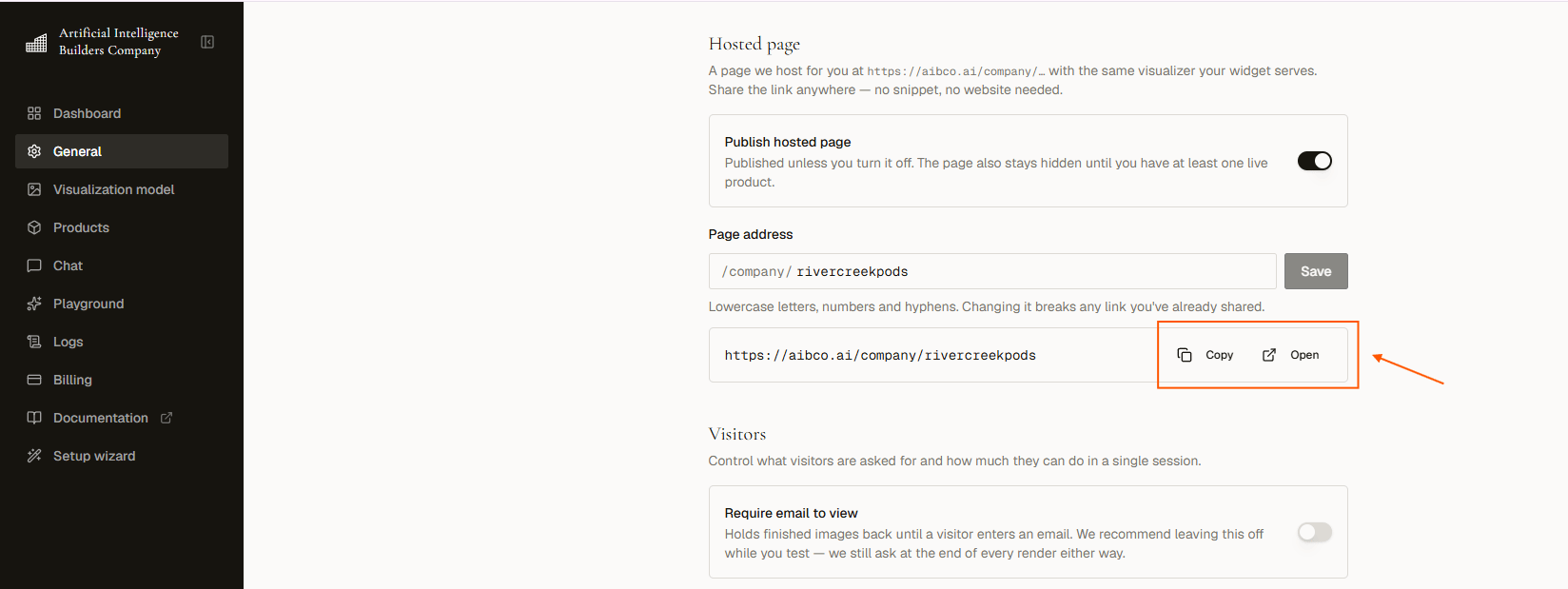
You need one Live and Visible product before the page will actually serve visitors, even with the switch on. Until then it stays hidden. See When the page serves below.
Page address rules
- 2 to 40 characters.
- Lowercase letters, numbers, and single hyphens (
acme-kitchens). No spaces, capitals, or double hyphens. - The address must be unused: if another account already has it, you will be told to pick something else.
- A short list of names is reserved (
admin,pricing,support,docs) because they would read as AIBCO pages rather than yours.
When the page serves
Publishing is necessary but not sufficient. The page serves visitors only when all of these are true:- Publish hosted page is on.
- A Page address is saved.
- You have at least one product that is both Live and Visible.
What visitors get
- The same widget mode you chose. Render Only shows the visualizer; Render + Chat opens with your greeting, suggested questions, and inline product cards.
- Your business name at the top of the page, with the Free-plan branding suffix appended if you are on Free.
- Your business photo in Render + Chat mode (or initials). Render Only pages show initials.
- A “Powered by aibco.ai” line on every plan, the same as the embed.
- Renders, chat messages, leads, and analytics all behave identically and draw from the same credit balance. A lead from your hosted page is just a lead.
The domain rule does not apply here. Your saved website domain controls where the embed is allowed to load. The hosted page runs on AIBCO’s origin, so it works with no domain saved at all.
No website at all
The hosted page is a full serving surface, not a preview.- Run the Setup Wizard on the pages I don’t own route (or the not online anywhere yet route) and skip the domain step. Nothing scanned there authorizes a domain.
- Publish your page, add one Live and Visible product, and you are serving visitors.
- The dashboard stops nagging you to add a domain once the page is published with an address. A published hosted page counts as having somewhere to appear.
- Put the link wherever you already meet customers: Instagram or TikTok bio, a Facebook page button, your Houzz or Behance profile, an email signature, a WhatsApp reply, a QR code on a van or a job sign. The page is full-screen and works on a phone.
Run both surfaces
Publishing the hosted page does not turn the embed off, and the embed does not make the page redundant. They are two doors into the same account: same products, same knowledge, same chat, same credit balance, same leads and analytics. Nothing is duplicated and nothing is charged twice.
Common reasons to run both:
- A link you can send. The embed only works where you can paste a snippet. The hosted page is a URL you can text, put in an ad, or hand out on the phone.
- Places that will not take a snippet. Instagram bios, Google Business profiles, marketplace listings, printed material, QR codes.
- A site you cannot edit quickly. Publish the page today, add the snippet whenever your web person gets to it.
Your domain allowance only governs the embed. A plan change never unpublishes your page: the hosted page keeps serving because it runs on AIBCO’s origin.
Sharing the link
- There is no rich link preview. Pasting the URL into WhatsApp, LinkedIn, or iMessage will not produce a card with your logo and description. Write your own line of text alongside it. The browser tab reads “Your Business — Visualizer” once the page loads.
- Treat it as a link you share, not an SEO page. It is built to run the visualizer, not to rank in search. Keep your website (or profile) as the thing search engines find and use this as the link you hand out.
- The link goes to one place. There is no deep link to a single product or a saved render. Every visitor lands on the same page and picks from there.
- The address is your one public handle. It is the same handle used elsewhere for your account, so changing it changes both, and there is no redirect from the old one.
Related pages
General Settings
Set business name, photo, domain, and launcher.
Embed on your website
Install the snippet on Squarespace, Shopify, Wix, or WordPress.