

- At least one product in your catalog
- A widget mode selected (Render Only or Render + Chat)
- Your website domain authorized
- Chat knowledge added (Render + Chat only)
- Either the embed snippet live on your website OR your hosted page published
1
Sign in to your dashboard
Go to aibco.ai and click Sign in. Enter your email address and AIBCO will send a magic link to your inbox. Click the link to land on your dashboard at 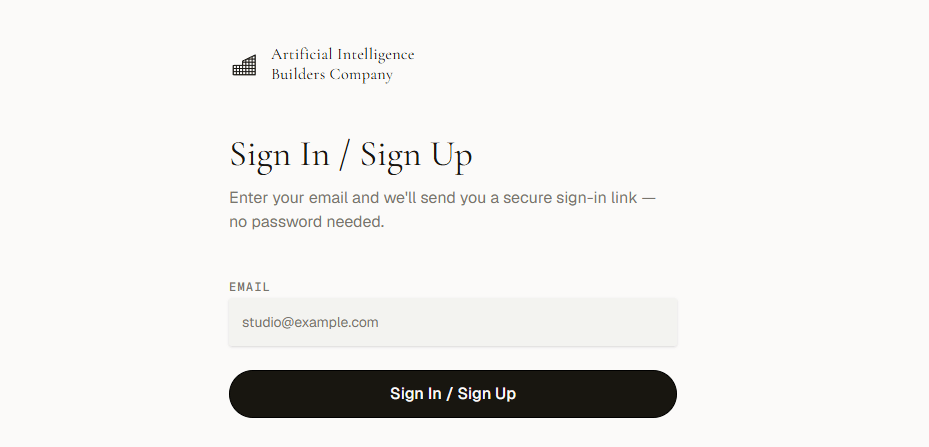
aibco.ai/dashboard.No password needed. Each magic link is single-use and expires after a few minutes.
2
Run the Setup Wizard (optional)
After your first sign-in, the Setup Wizard opens automatically. Enter your website URL and click Start setup. The AI scans your site (10 credits, roughly 2 to 3 minutes) and applies a company profile, chat knowledge, and products automatically. Review and edit everything afterwards on the Products, Chat, and General pages. See Setup Wizard.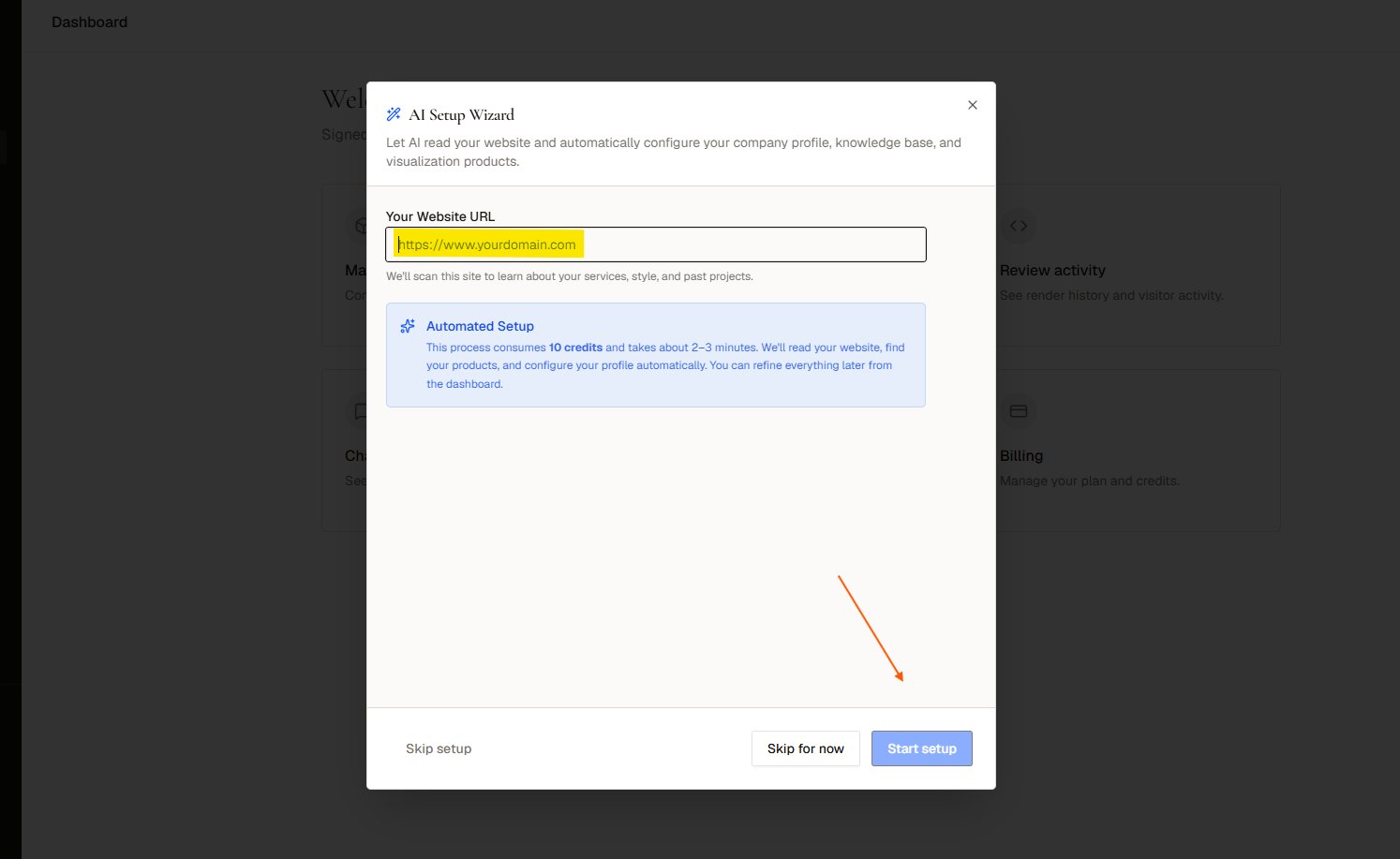
3
Add your first product
In the left sidebar, click Products, then New product. Fill in Name, Type (scope and intent), Visitor description, and optional Internal notes. Save, then click the image icon to upload up to 4 images. A product goes Live automatically once it has at least one image.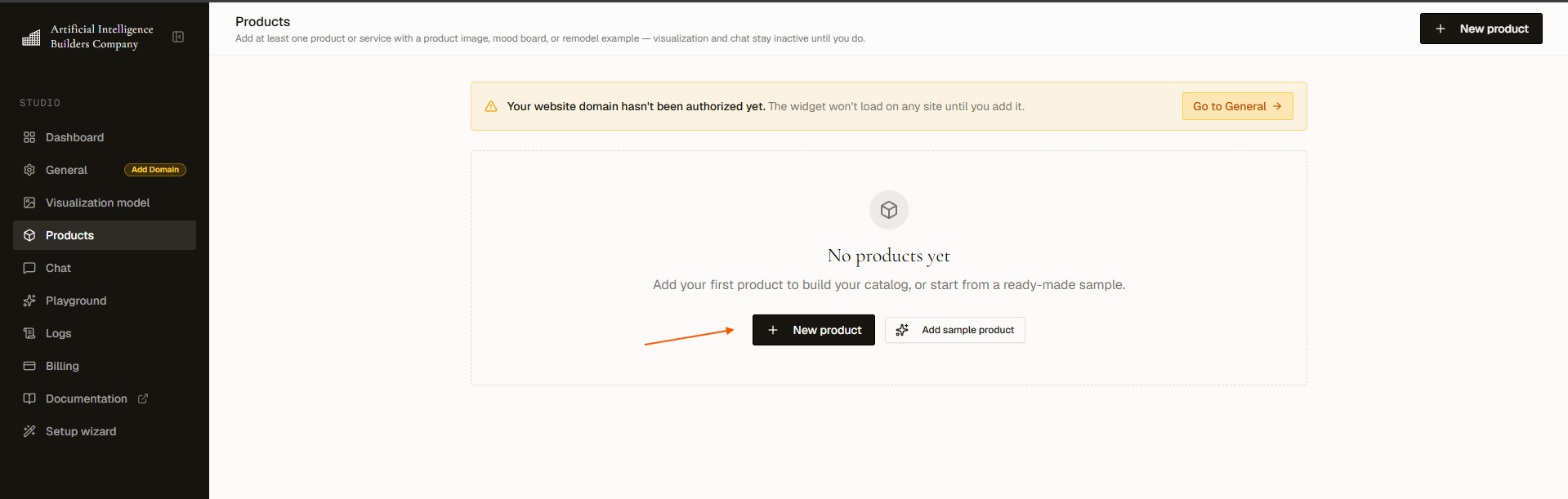
4
Configure General settings
Open aibco.ai/dashboard/general. Choose your widget mode (Render Only or Render + Chat), set your business name, authorize your website domain or publish your hosted page at 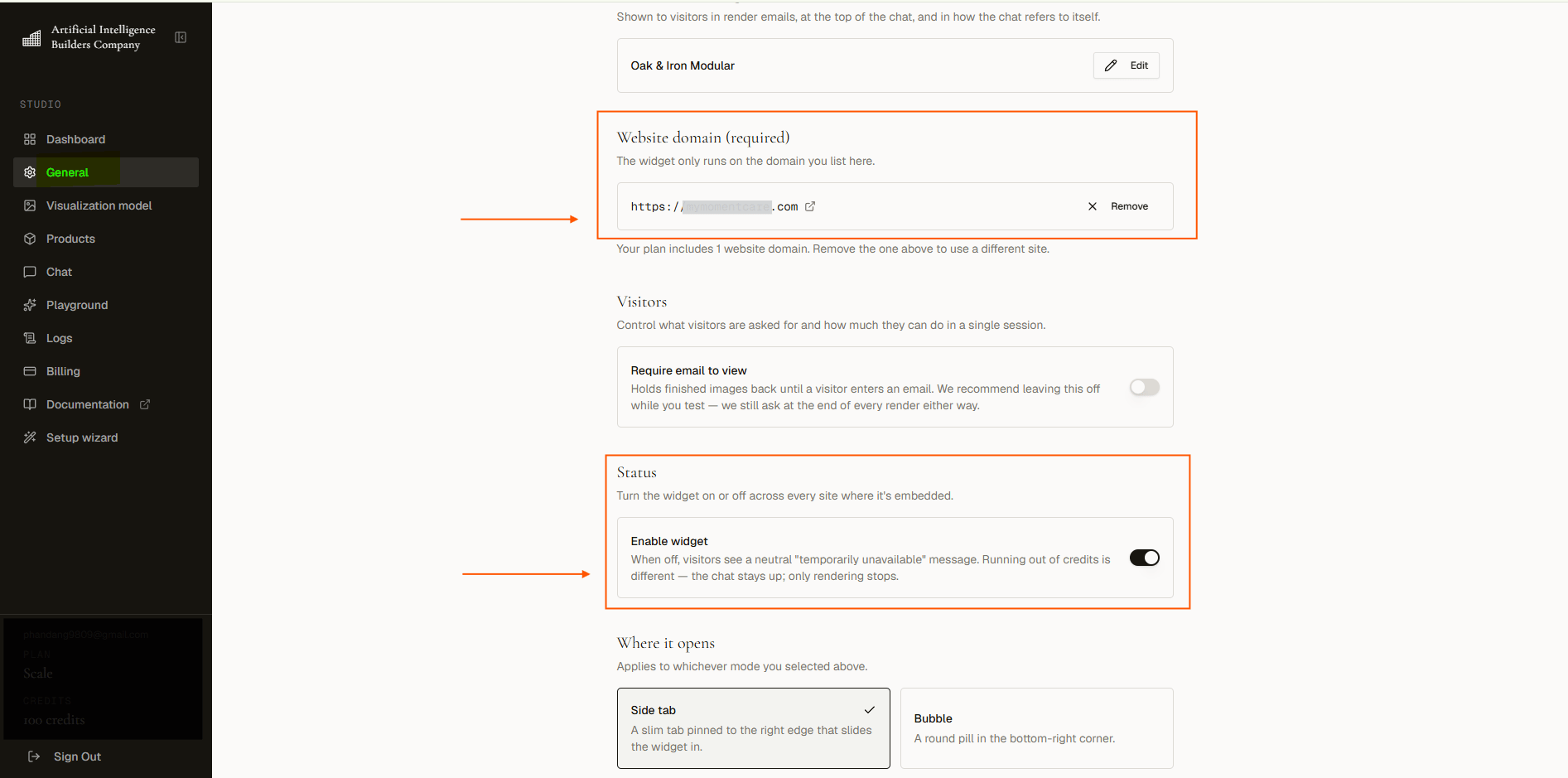
aibco.ai/company/your-name, pick a launcher style (Side tab or Bubble), set custom launcher text, and turn on Enable widget.5
Choose a visualization model
Go to aibco.ai/dashboard/render to pick which AI model generates your renders. Prices range from 6 to 16 credits per visualization (each visualization returns 4 images). See Visualization Model.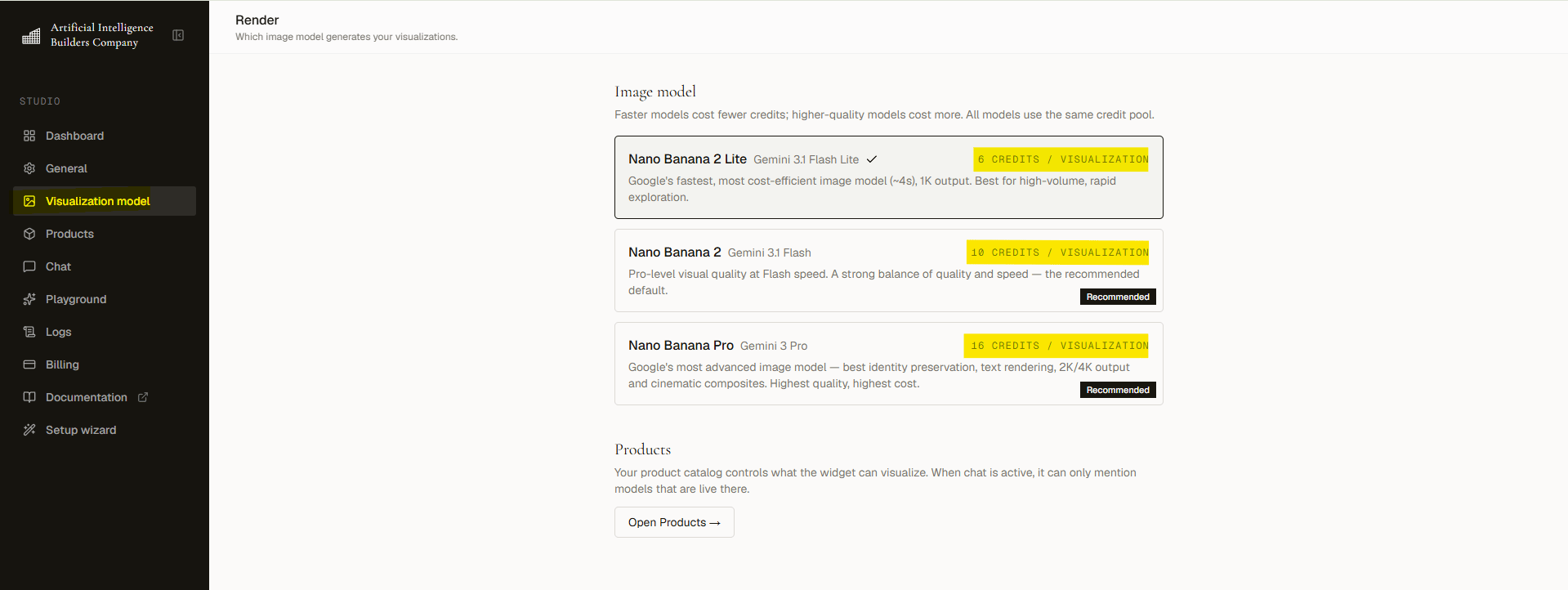
6
Train the chat (Render + Chat only)
Go to aibco.ai/dashboard/chat to add knowledge. Write it manually in Text, scan up to 10 public URLs in Website (10 credits per scan, flat), or upload PDF, .txt, or .md files in Document (PDFs cost 1 credit at upload; text and markdown are free, up to 5 documents, max 10 MB each). Your total knowledge capacity is 30,000 characters. Add Guardrails, configure a Greeting, and set a Message limit for each session (7 to 25).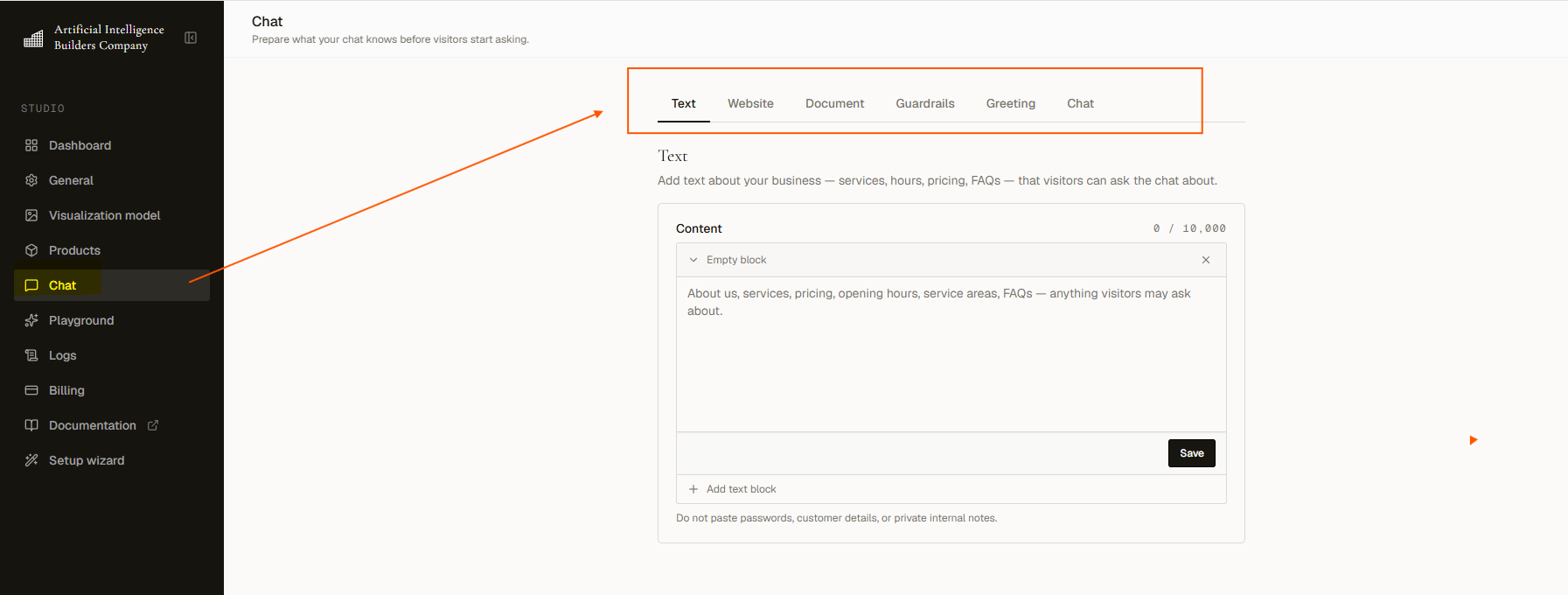
7
Test in the Playground
Visit aibco.ai/dashboard/test to simulate a visitor session. Try a render, ask a chat question, and confirm the greeting appears. Click Start fresh to reset. Playground activity costs credits like real visitors.
8
Embed on your website
In General → Install snippet, click Copy snippet and paste it into the The same snippet works for both modes. AIBCO supports plain HTML, Squarespace, Shopify, Wix, and WordPress. See Embed on your website.
<head> of your site (recommended) or before the closing </body> tag:9
Or publish your hosted page
No website, or can’t edit it? Skip the snippet entirely. In General → Hosted page, set your Page address (the part after
/company/), turn on Publish hosted page, and copy the aibco.ai/company/your-name link. Share it on Instagram, in an email signature, in an ad, or as a QR code. See Hosted page.Explore Products
Create and manage your full product catalog.
Widget Settings
Fine-tune your widget mode, launcher, and domain settings.
Track Leads
See who converted and export contact details.
Understand Credits
Learn what costs what and how billing works.