

Choose where we read about you
The wizard’s first question is not “do you have a website” but “is this page yours?”, because only a site you own can be authorized to run your widget.If you pick the second route, reading those pages teaches the AI about your business but adds no authorized domain. That is what the hosted page is for: publish it and share the link, no snippet required.
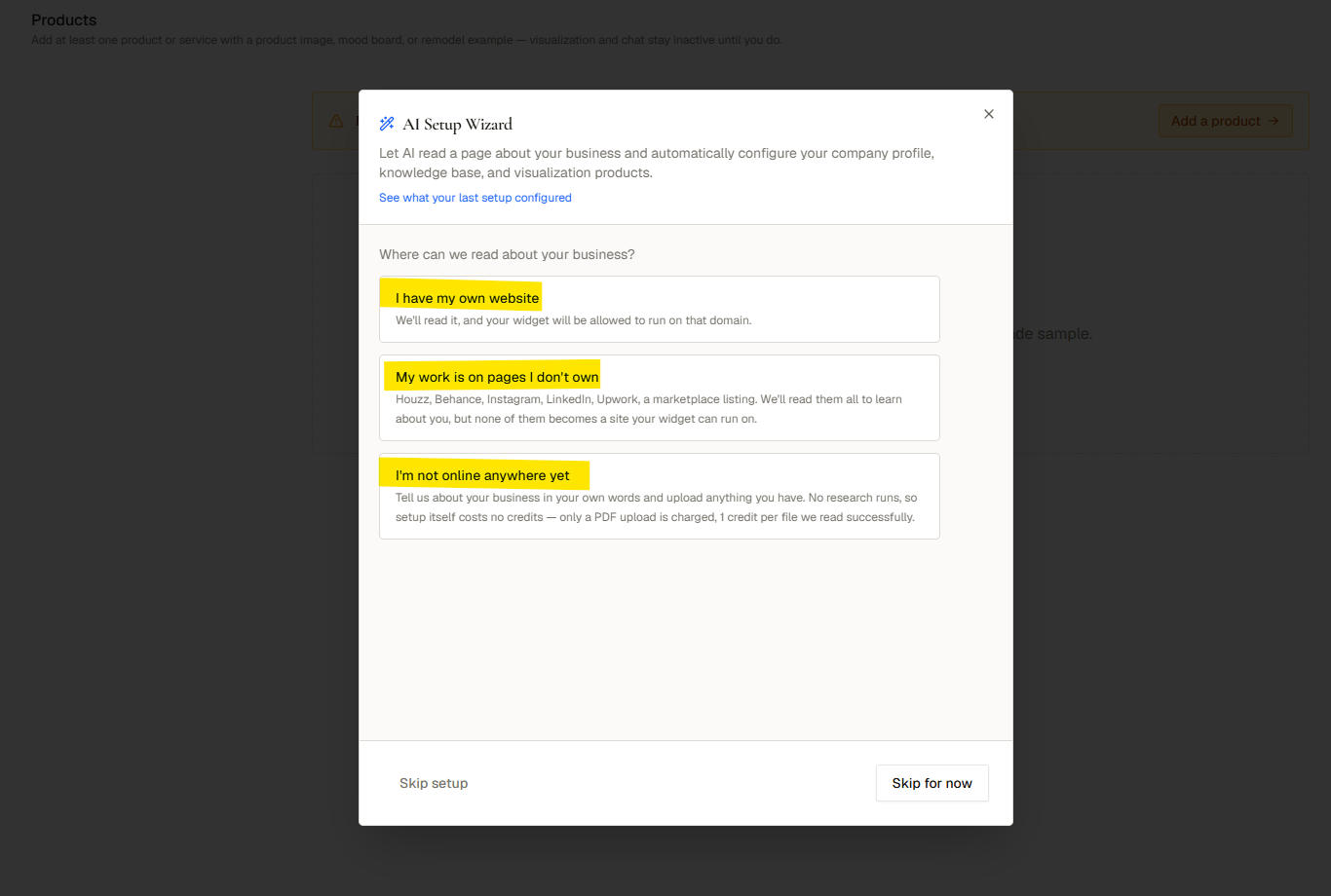
Give it up to 10 links
On the my own website route you get three fields: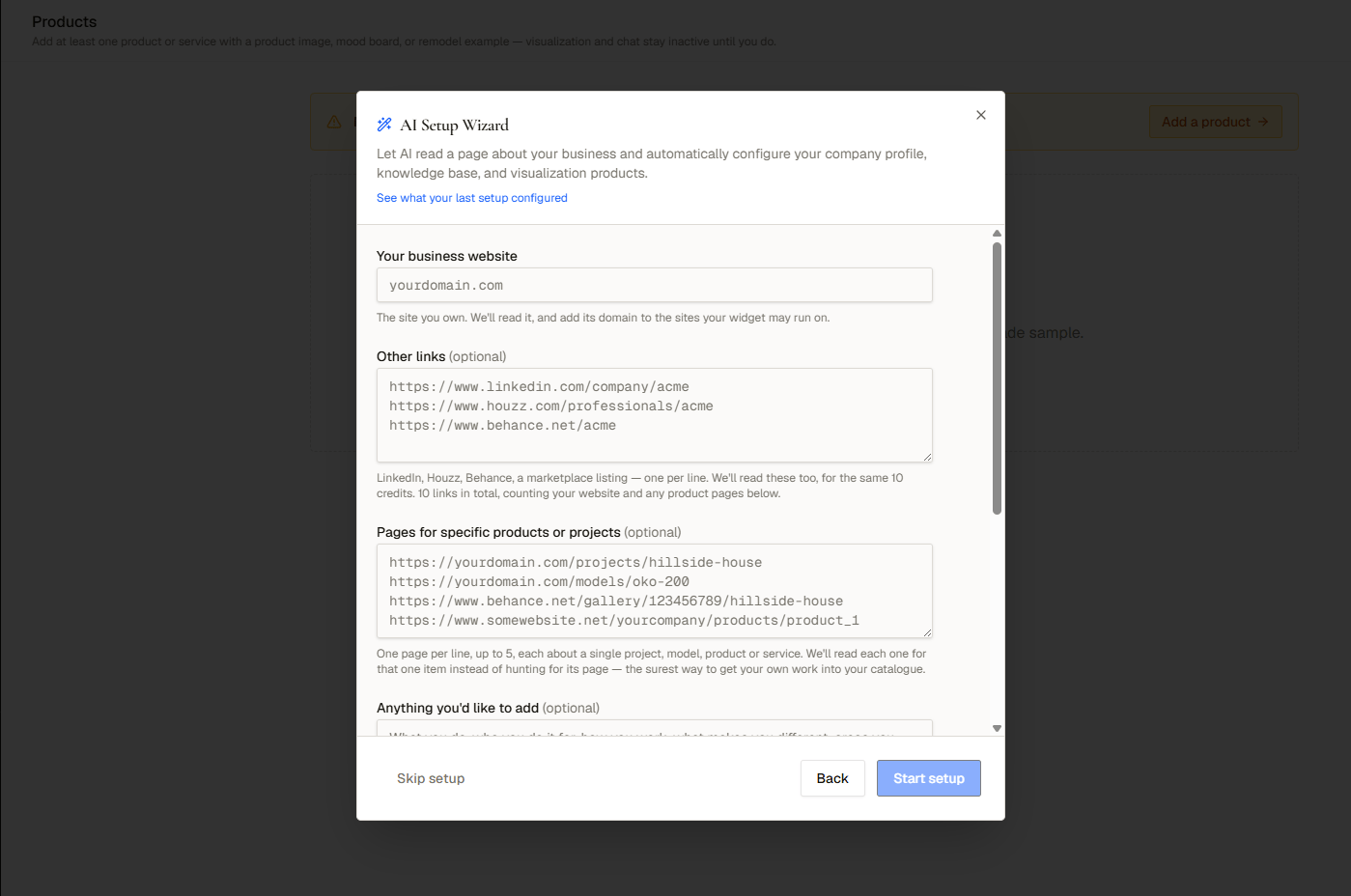
- Your business website: one line, the site you own, and required on this route. This is the only entry that adds a domain to the sites your widget may run on. A bare
acme.combecomeshttps://acme.com. - Other links (optional): LinkedIn, Houzz, Behance, a marketplace listing, one per line. Read exactly like your website, but they grant nothing.
- Pages for specific products or projects (optional, up to 5): one page per line, each about a single project, model, product, or service. These land in your catalog with the real page attached.
http/https addresses; anything with a username, password, or unusual port is refused. Pages behind a login, paywall, or CAPTCHA cannot be read.
Add what the pages don’t say
Both boxes below the links appear on every route. On the not online anywhere route they are where the whole profile comes from.- Anything you’d like to add: type what you would tell a new client (what you do, who for, how you work, areas you cover, typical lead times). This is saved as your own notes and re-running setup never overwrites it.
- Documents: upload a brochure, capability statement, or price list. PDF,
.txt, or.md, up to 10 MB each, and up to 5 documents. A PDF costs 1 credit to convert; text and Markdown are free.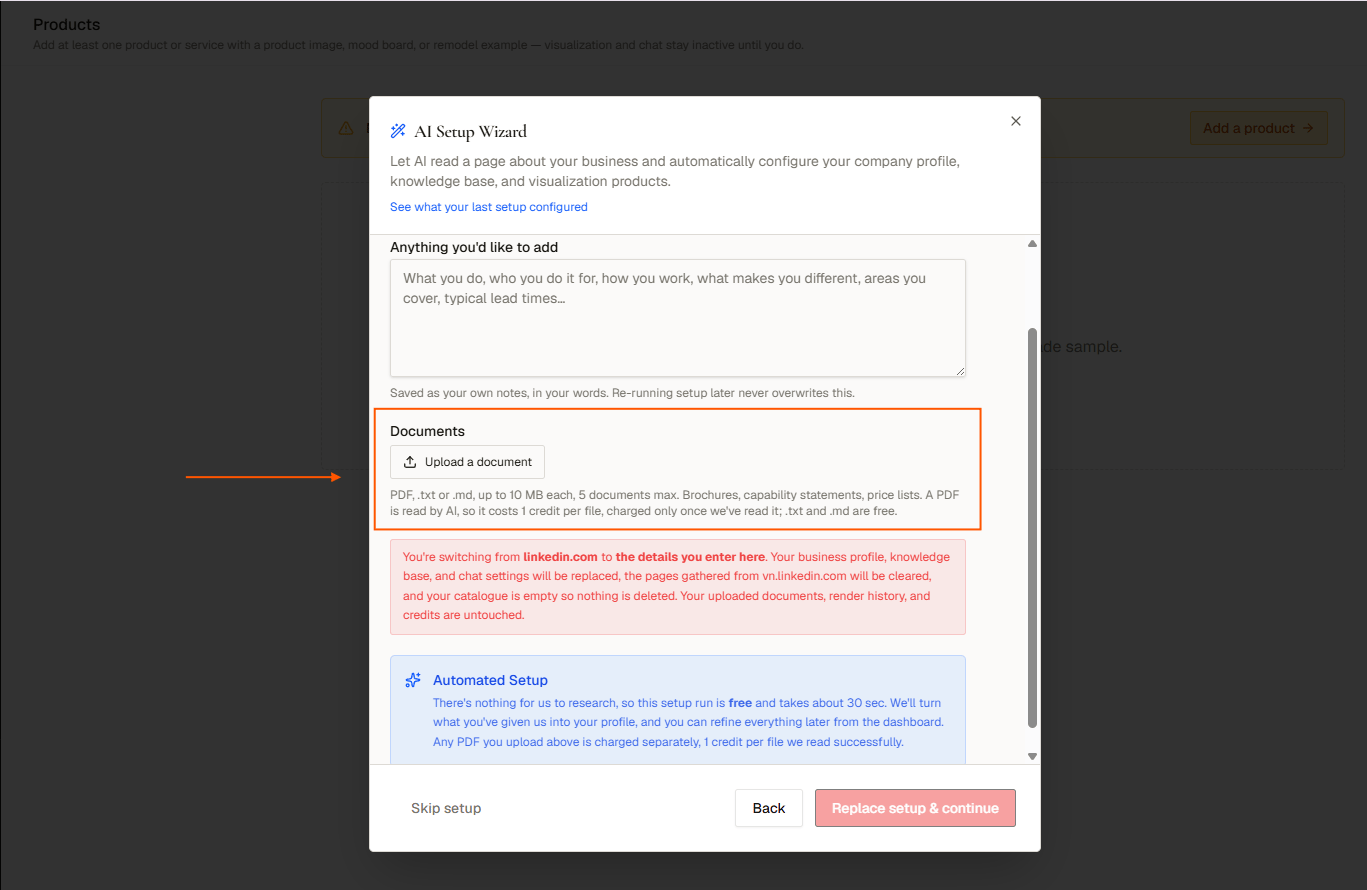
What the wizard does
1
Pick your route and fill in the fields
Choose one of the three routes, then fill in the links (or the business name) and anything you want to add.
2
Click Start setup
On the research routes this costs 10 credits and takes roughly 2 to 3 minutes. The not online anywhere route is free and takes about 30 seconds.
3
Watch the live stage list
The wizard shows Queued, Researching your website, Gathering product images, Filling out your company profile, and Finishing up, with a running timer.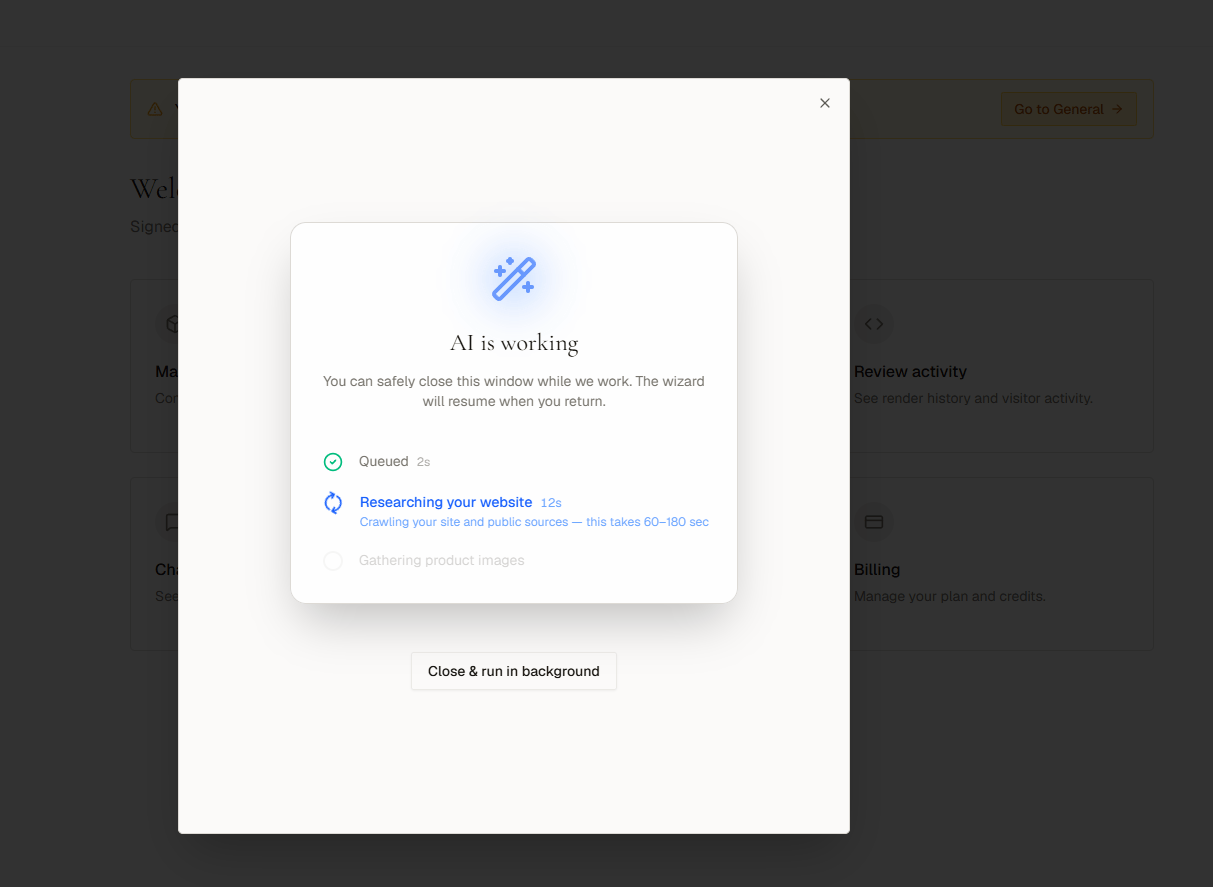
4
Review Setup Complete
The last step reads Saving configuration, then shows the Setup Complete review. The button out of it is Go to General Setup.
A failed charged run is refunded automatically and the wizard offers a retry. A thin result (pages read but very little came back) is not a failure and is not refunded, because the research was done. The review screen says so plainly and points you at the Chat page to paste or upload the rest.
What setup configured
The completion screen shows everything in one place. Nothing on it is editable; every row links to the screen that owns the setting.Re-running the wizard
You can run the wizard again any time from Setup wizard in the sidebar. A research run costs 10 credits; the not online anywhere route is still free. What happens depends on whether you point it at the same source as last time.
The wizard tells you which mode it is about to run, names the old and new source, and says how many products would be deleted. Read that message before confirming. The confirm button reads:
- Start setup (first run)
- Re-run setup (same source)
- Replace setup & continue (different source)
Related pages
Hosted page
Publish a shareable page with no snippet required.
Products
Manage the catalog the wizard drafted.
Credits
Understand what the wizard costs and what is refunded.