

How credits map to models
Current prices range from 6 to 16 credits per visualization. One visualization produces 4 images at different angles of the same product placement. The single charge covers all four.Pick a model
1
Open Visualization model
In your dashboard sidebar, click Visualization model.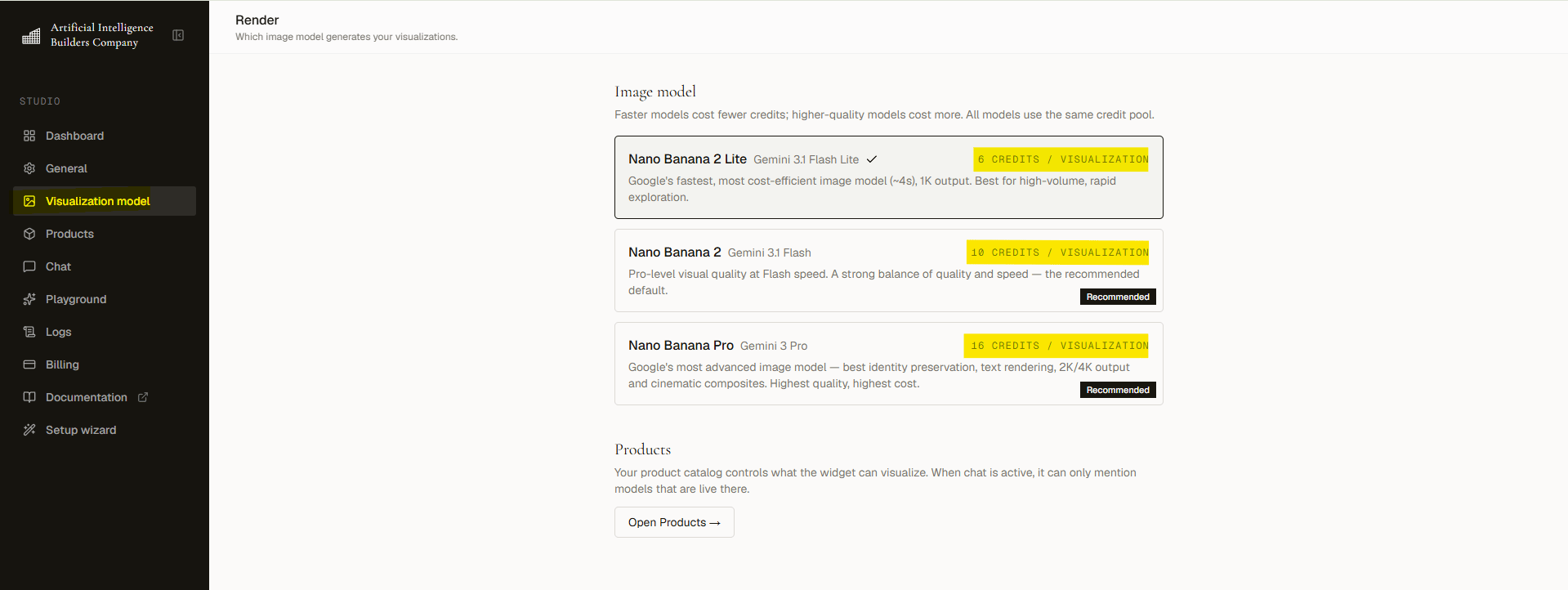
2
Review the cards
Each card lists its speed, quality level, and credit cost. Choose the trade-off that fits your brand and budget.
3
Click to select
Click the card you want. The change applies to all new renders immediately.
Free plan limits
Free plan accounts can only use the default model. Paid models show an Upgrade to unlock badge on their cards. Every paid plan unlocks all models.